Introducing the Automation Builder
Automate your billing workflows with a visual pipeline editor — dunning, onboarding, and more, without writing code.
Manual follow-ups on failed payments, welcome emails for new subscribers, discount offers before churn — these are the workflows that make or break a billing operation. Until now, you had to build them yourself or rely on third-party tools.
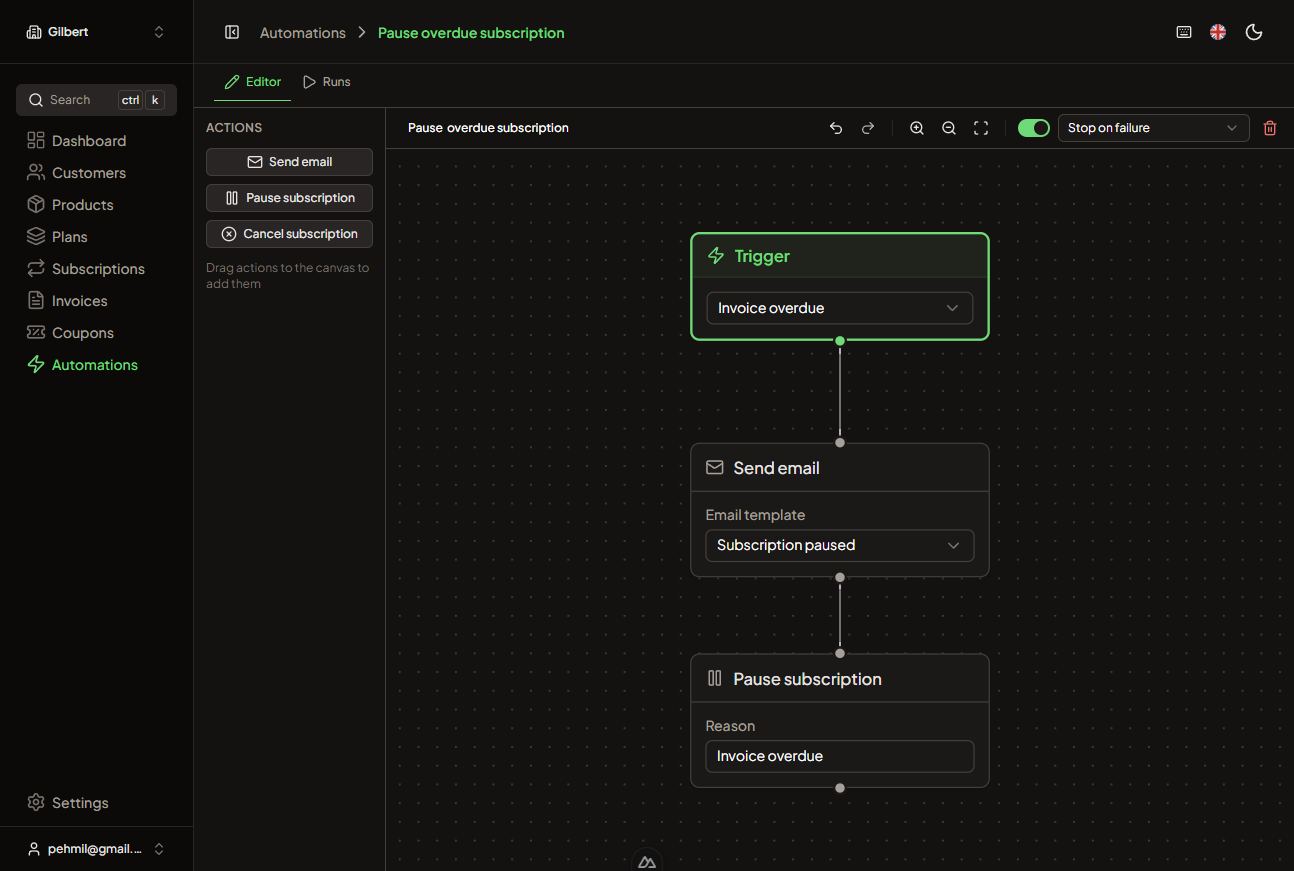
The Automation Builder changes that. It's a visual pipeline editor built directly into Billbert that lets you create event-driven workflows without writing code.
How it works
Every automation starts with a trigger — an event in your billing system that kicks off the workflow. Choose from events like:
- Invoice created or overdue
- Subscription activated, cancelled, or past due
- Payment succeeded or failed
- Customer created or updated
Then chain together actions that execute in sequence: send an email, apply a discount, update metadata, wait a period, or branch based on conditions.
Templates for common scenarios
We've included pre-built templates for the workflows most billing teams need:
- Dunning flow — automatically send escalating reminders when payments fail, with configurable delays between attempts
- Welcome sequence — onboard new subscribers with a series of emails introducing key features
- Win-back offers — trigger a discount code when a customer initiates cancellation
- Usage alerts — notify customers when they approach usage limits
Each template is fully customizable — use them as-is or as a starting point for your own workflows.
Execution history
Every automation run is tracked with a full execution log. See exactly which trigger fired, what actions ran, and what the outcome was. If something goes wrong, you can trace the entire chain to find the issue.
The automation builder is available now for all Billbert accounts. Head to Settings > Automations to get started.